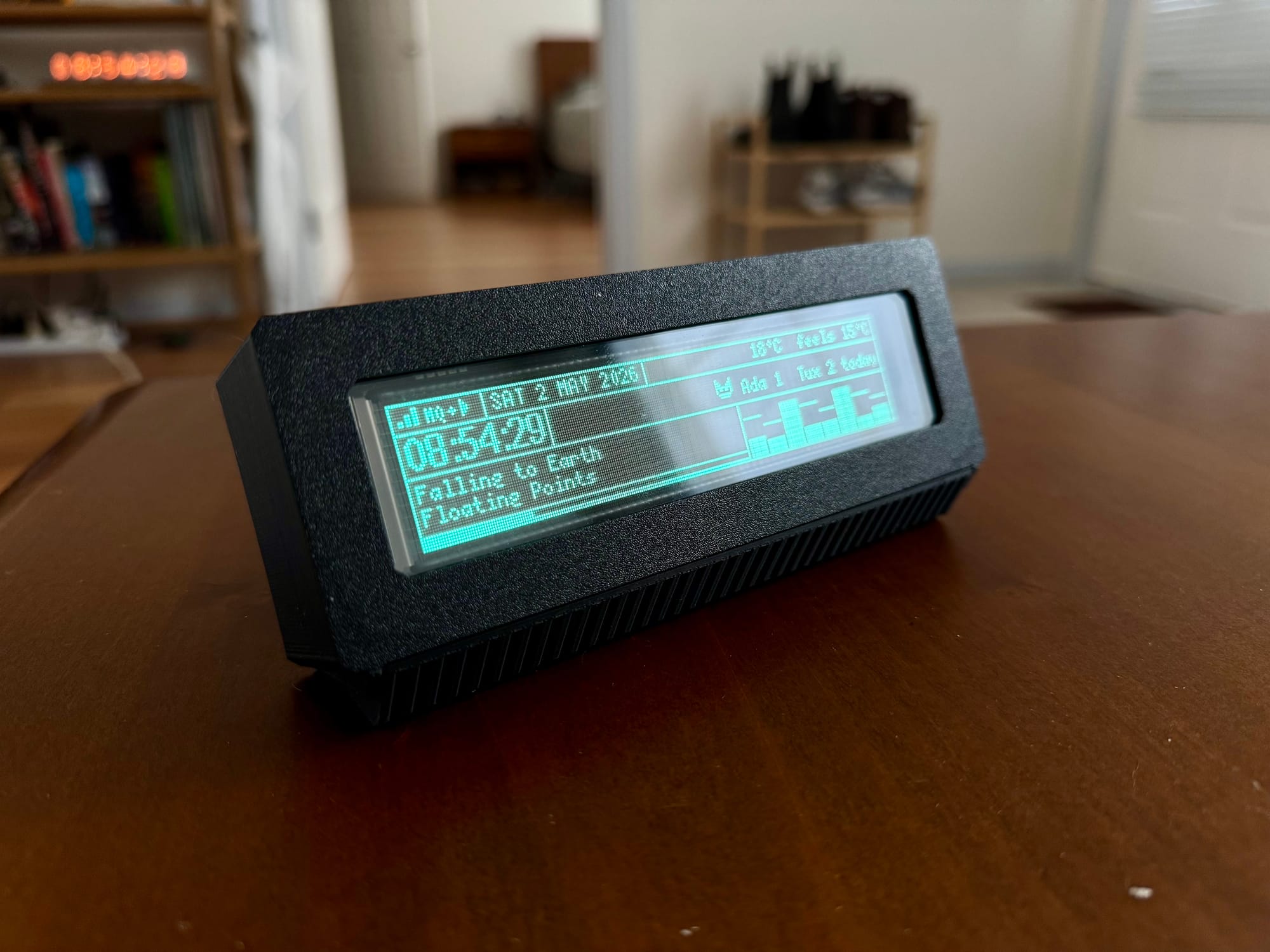
For years I'd wanted to build something around VFDs — those blue-green panels you remember from 90s stereos and car head units. I think they still look better than any modern display I own. Here's what I ended up with: a 256×50 GP1287BI driven by a Pi Pico W, sitting on my desk, cycling through music, weather, 3D print status, cat data, and Claude usage.
Hardware
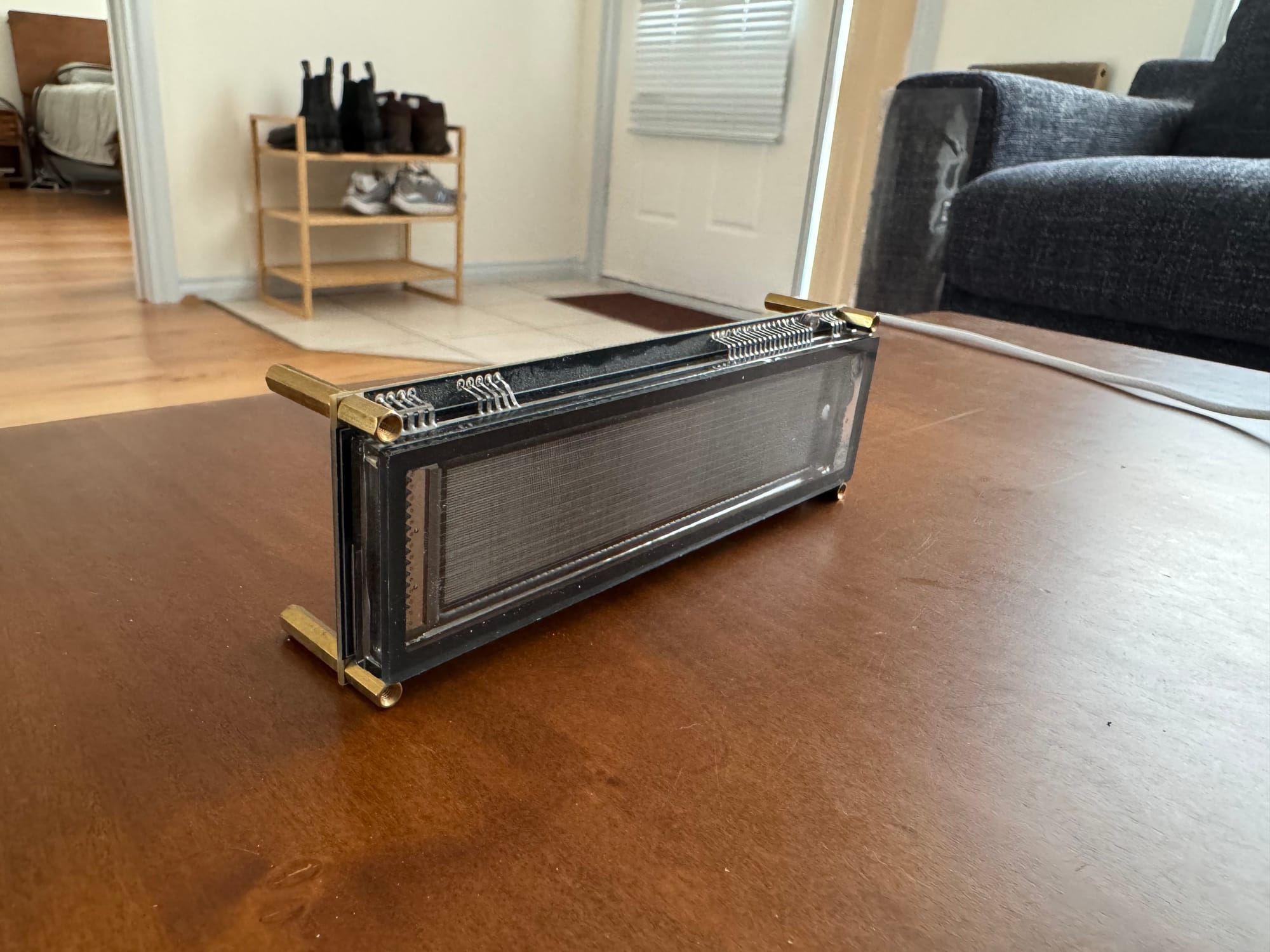
I bought the panel off AliExpress as a module — search for GP1287BI and you'll find it. It arrives pre-mounted on a carrier board (the EPC-INBN0BV1287UD) that takes care of the high-voltage rails. Behind it I built a hand-wired perfboard daughter board with a Pi Pico W on top, soldered point-to-point to a header that plugs into the carrier. I picked the GP1287BI specifically for the resolution — 256×50 is unusually wide for a VFD and gives you proper room to lay things out.
The case is two 3D prints: a bezel that recesses around the glass, and a friction-fit pocket that holds the carrier. No fasteners anywhere. VFDs only look right from a narrow angle, so the panel has to tilt back at you — I designed a small wedge that slides in between the original legs to set it.
Pages
Each page is its own little renderer, and a rotary encoder cycles through them in order. I've added more than I strictly need; in practice I camp on Overview most of the time and only flip elsewhere when something specific catches my attention — Now Playing when I want to know what album is on, Prusa when I'm Printing something, Cats when I hear the litter box.
- Overview
- Time
- Weather
- Now Playing (with simulated visualisers)
- Matrix (falling glyphs)
- Cats (Litter Robot visit stats)
- Tama (a small pet that doubles as a clock background)
- Claude (usage % + reset countdown)
- Portal (Still Alive lyrics)
- Prusa (print state from OctoPrint)
Firmware
I wrote the firmware in plain C++ on the Earle Philhower arduino-pico core, built with PlatformIO. loop() calls a renderer at ~20 fps and dispatches to the current page. Network refreshes run on independent intervals — weather every ten minutes, OctoPrint every ten seconds, cats every minute. Persistent settings (page, font, brightness, 12h/24h) live in LittleFS so a power-cycle doesn't reset everything. I also enabled ArduinoOTA, which lets me push updates over Wi-Fi instead of USB once the firmware is on the device.
Control
There's no encoder in the case itself — I considered adding one but I didn't want to have to reach across the desk every time I cycled pages. Instead, the dashboard listens for input from the rotary knob on my mechanical keyboard, previously the system volume control and now reassigned to dashboard duty. The keyboard publishes up, down, and press events to the MQTT topic keyboard/knob. up and down cycle pages; press does whatever makes sense for the current page — toggle 12h/24h on Overview, change visualiser on Now Playing, switch to brightness mode on Matrix.
Data sources
The dashboard itself doesn't know much. It just renders model structs that get filled in by external systems, each one a little pipeline of its own:
- Spotify — published to MQTT by a Node-RED flow watching my Spotify activity. The now-playing page extrapolates the progress bar between updates.
- Cat litter data — polled once a minute from
/api/summaryon a separate cat-litter dashboard I built around my Litter Robot. Returns weight, visits, and peak hour per cat. - Prusa — polled every ten seconds from OctoPrint's
/api/joband/api/printer. - Weather — Open-Meteo. No API key required.
- Claude usage — pushed over MQTT by a small menubar app I wrote for my MacBook.
The pattern: anything with an API is polled directly; anything without one is bridged to MQTT. I've kept the firmware deliberately boring on that front — I'd rather debug a Node-RED flow at my workstation than a misbehaving HTTP client on a 32-bit MCU.
Build mistakes
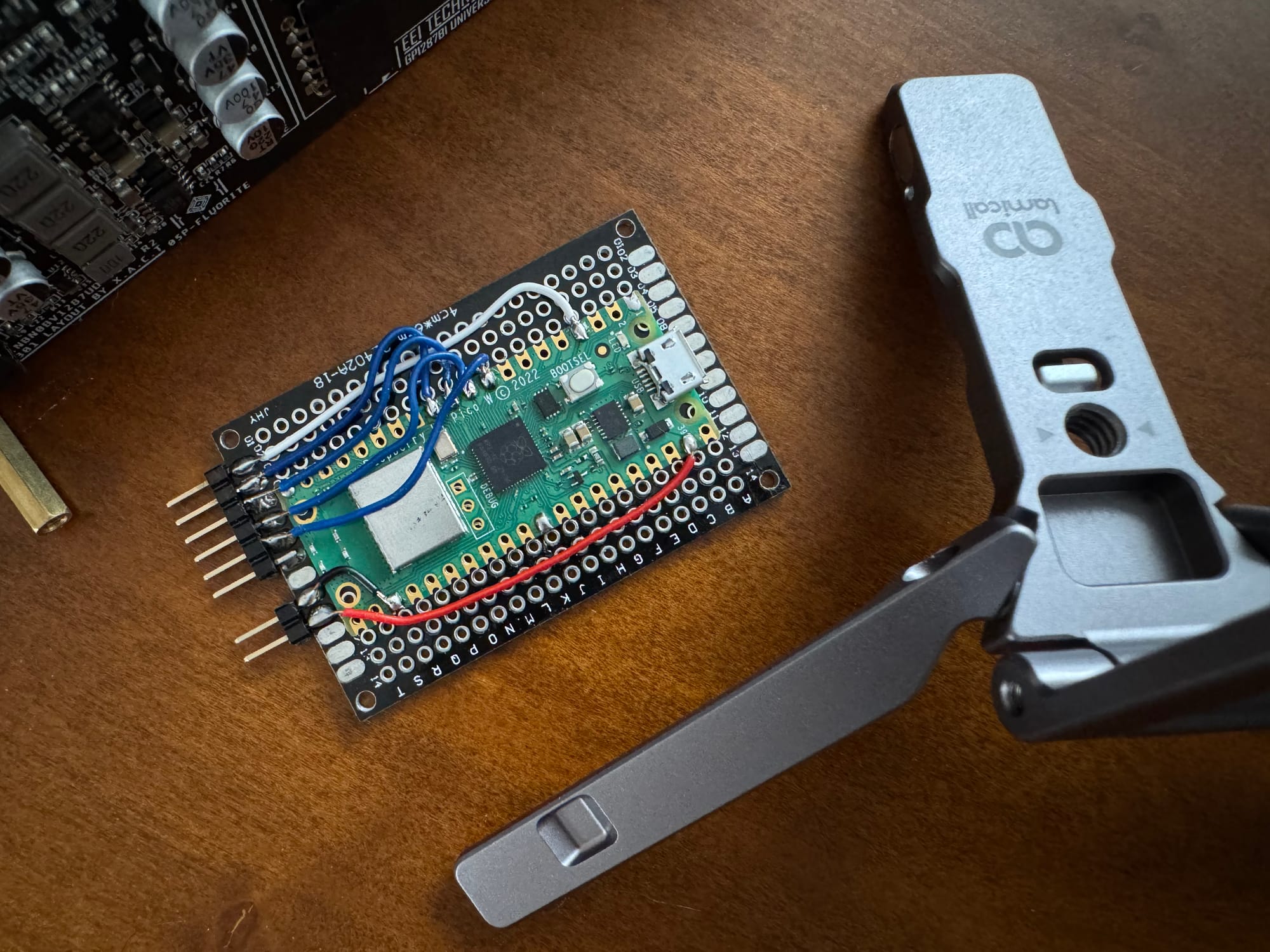
USB clearance. I placed the Pico too far in on the perfboard. The moulded plastic shell around a micro-USB plug hits the perfboard before the connector fully seats — none of my cables fit. My first workaround was a single cable with the strain-relief shaved off with a hobby knife. The real fix came later, when I enabled ArduinoOTA: once the first build was on the device, every flash since has happened over Wi-Fi, and the cable lives in a drawer.
SPI clock pin. I wired CLOCK to GP9, which isn't a valid hardware SCK pin on the RP2040 — off by one, GP10 would have worked. Hardware SPI was off the table without rewiring.
That turned out to be fine. Software SPI runs the panel at the full 20 fps with headroom, so it stopped mattering. The GP1287BI's datasheet also specifies LSB-first byte order, while u8g2's stock software-SPI drivers are hardcoded MSB-first — so a custom byte callback was needed either way:
case U8X8_MSG_BYTE_SEND: {
    uint8_t *data = (uint8_t *)arg_ptr;
    while (arg_int-- > 0) {
        uint8_t b = *data++;
        for (uint8_t i = 0; i < 8; ++i) {
            digitalWrite(PIN_VFD_CLK,  LOW);
            digitalWrite(PIN_VFD_DATA, b & 1);    // LSB first
            b >>= 1;
            digitalWrite(PIN_VFD_CLK,  HIGH);
        }
    }
    break;
}
What's shared
I'm sharing two pieces of this build:
- 3D model files for the case — F3d and STL.
- A minimal Arduino sketch for the VFD — flashes "Hello, world!" on the panel with no other setup. Documents the wiring, includes the LSB-first byte callback, and points at the custom u8g2 fork (upstream doesn't include the GP1287 driver).
I haven't published the full dashboard firmware — it leans on too much of my personal infrastructure (Wi-Fi credentials, my MQTT broker, my OctoPrint, my Litter Robot dashboard) to be useful as a drop-in for anyone else. The bridges and ancillary projects each deserve their own writeups eventually.
What surprised me most about this build is how quickly the dashboard stopped feeling like a project and started feeling like furniture. I look at it more often than I look at my phone, which is probably the highest compliment a glanceable display can earn.